
Paycheck Calculator: How can I calculate my paycheck?
There’s a gap between the number on your offer letter and the number that lands in your bank account, and that gap is exactly why the paycheck calculator is such a heavily searched tool. It converts a salary or hourly wage into what actually shows up on payday, once taxes and deductions are accounted for.
This guide walks through how that math works, what’s being subtracted and why, and how to turn the result into a budget that holds up in the real world.
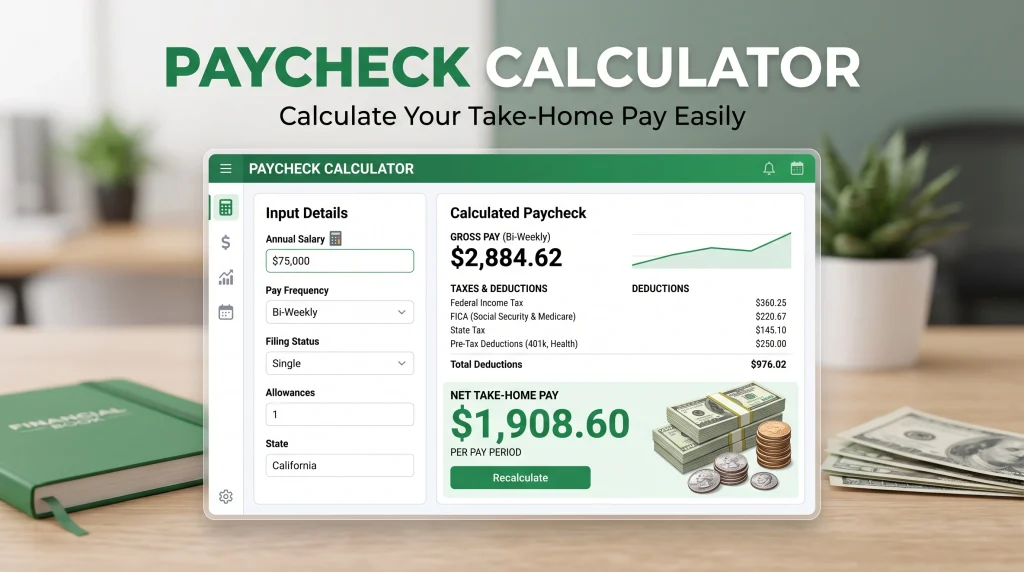
Table of Contents
What Is a Paycheck Calculator?
A paycheck calculator estimates your net pay by working backward from your gross pay — subtracting federal taxes, state taxes, payroll taxes, and any deductions you’ve elected.
You plug in a handful of details — pay rate, pay frequency, filing status, state, deductions — and it hands back an estimated deposit amount per pay period.
Paycheck Calculator
Want to know how much you’ll actually take home? Use our free Paycheck Calculator to estimate your gross pay, taxes, deductions, overtime, and take-home pay.
It’s essentially a preview of your pay stub before payroll runs it. People reach for one when they need to:
- Weigh two job offers that differ in salary and benefits
- Decide whether a raise, shift change, or overtime block is worth it
- See how bumping a 401(k) contribution rate changes take-home pay
- Budget around a realistic number instead of a gross salary figure
- Compare take-home pay before and after a move to a new state
- Spot-check a pay stub that looks off
Worth saying upfront: an estimator gives you an estimate, not a promise. Payroll software applies exact rules for your specific situation, and small differences in benefit costs, local tax rules, or rounding can shift the final figure.
Curious what your own number looks like? Calculate your paycheck — it takes a couple of minutes and gives you a real starting point for the rest of this guide.
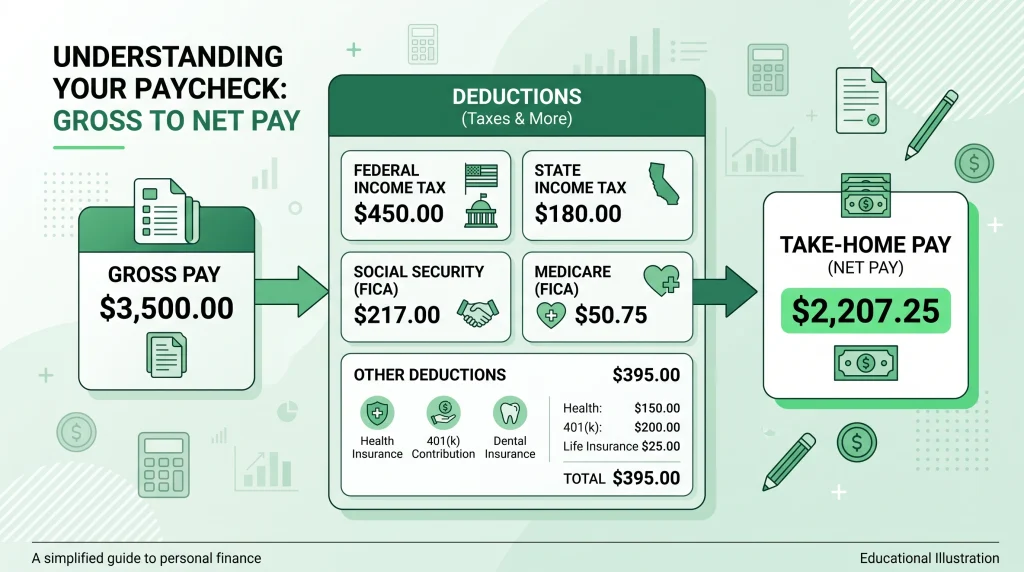
Calculate My Paycheck: The Order Operations Actually Follow
“Calculate my paycheck” searches usually come down to one question: in what order does payroll subtract things? Here’s the sequence.
| Step | What happens | Effect |
|---|---|---|
| 1. Gross pay | Salary ÷ pay periods, or hourly rate × hours (+ overtime/bonuses) | Starting figure |
| 2. Pre-tax deductions | 401(k)/403(b), HSA/FSA, some health premiums | Lowers taxable income |
| 3. Tax withholding | Federal (per W-4), FICA, state, local | Reduces pay further |
| 4. Post-tax deductions | Roth 401(k), union dues, garnishments | Comes out of what’s left |
| 5. Net pay | Everything above, subtracted from gross | Your deposit |
That table is essentially what any online paycheck calculator is doing behind the scenes — which is why a good one shows a line-by-line breakdown instead of just a single number.
Gross Pay vs. Net Pay vs. Take-Home Pay
These three get used almost interchangeably in casual conversation, but they mean different things on paper.
| Term | Definition | Where it shows up |
|---|---|---|
| Gross pay | Everything earned before withholding | Offer letters, salary negotiations, W-2 Box 1 |
| Net pay | What’s left after taxes and deductions | The bottom line on a pay stub |
| Take-home pay | The amount actually deposited | Your bank statement |
The rule worth remembering: negotiate with gross pay, budget with net pay. A $60,000 salary doesn’t translate to $5,000 a month available to spend — depending on state, filing status, and benefit elections, the real deposit is often noticeably lower.
That’s the argument for running an online paycheck calculator before signing a lease or committing to a car payment, not after.
How to Use an Online Paycheck Calculator
Most tools ask for the same handful of inputs. Having them ready ahead of time speeds things up and improves accuracy.
Gather these first:
| Input | Why it matters |
|---|---|
| Pay rate (salary or hourly) | Determines gross pay |
| Pay frequency | Weekly, biweekly, semimonthly, monthly |
| Hours per period (+ overtime) | Only relevant for hourly workers |
| State (and city, if applicable) | State/local tax rules vary widely |
| Filing status | From your W-4 |
| W-4 details | Dependents, other income, extra withholding |
| Pre-tax deductions | Health premiums, HSA, retirement % |
| Post-tax deductions | Roth contributions, dues, garnishments |
Accuracy tip: keep a recent pay stub open while you fill this in, and copy the actual deduction dollar amounts instead of guessing. If the estimate lands close to your real stub, your inputs are reliable — and you can confidently model changes from there, like raising your 401(k) from 4% to 7%.
It’s also reasonable to double-check a result against a second tool. Some people compare against something like the PaycheckCity salary calculator. Minor differences between tools are normal; each makes slightly different assumptions about rounding and local tax handling.
Paycheck Estimator for Hourly Workers
Hourly pay is less predictable than salaried pay by nature — hours shift week to week, overtime comes and goes.
Basic example — no overtime:
| Hours | Rate | Gross weekly pay |
|---|---|---|
| 40 | $22.00 | $880.00 |
With overtime (hours beyond 40 paid at 1.5×):
| Category | Hours | Rate | Subtotal |
|---|---|---|---|
| Regular | 40 | $22.00 | $880.00 |
| Overtime | 6 | $33.00 | $198.00 |
| Total gross | 46 | — | $1,078.00 |
A paycheck estimator then applies withholding to that gross figure. One quirk worth knowing: a heavy overtime week can make that period’s withholding look unusually high, since some payroll systems calculate as if the elevated pay were your normal rate. It typically balances out at tax time.
Practical move for variable hours: budget around a conservative baseline — your typical slow week — and treat overtime pay as a bonus on top, not something you’re counting on.
Hourly to Salary Calculator: Converting Your Rate
An hourly to salary calculator answers one question: what does this hourly wage add up to over a full year?
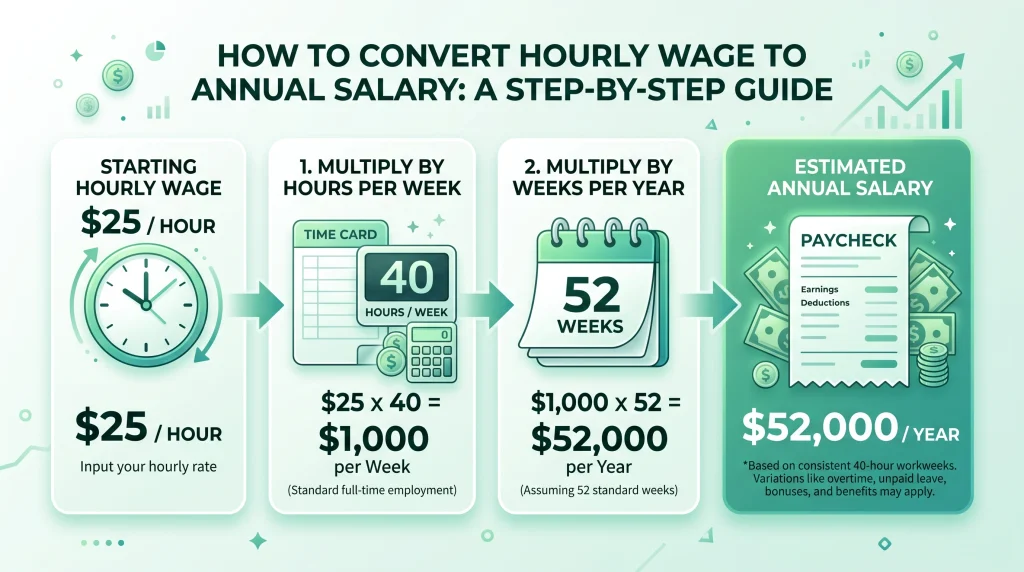
The standard formula assumes 40 hours a week, 52 weeks a year:
Hourly rate × 2,080 = annual gross salary
| Hourly rate | Annual gross (2,080 hrs) | Monthly gross (approx.) |
|---|---|---|
| $18.00 | $37,440 | $3,120 |
| $22.00 | $45,760 | $3,813 |
| $28.50 | $59,280 | $4,940 |
| $35.00 | $72,800 | $6,067 |
Two things to keep in mind. First, 2,080 hours is an assumption — swap in 1,820 for a 35-hour week, or 2,340 for a regular 45-hour week. Second, this annualized number is gross, not take-home — the $59,280 figure is a headline number, not a deposit amount.
The math also runs in reverse: to turn a salary into a rough hourly rate, divide by 2,080. A $75,000 salary works out to about $36.06 an hour — a useful comparison when weighing a salaried role against contract work.
Salary Paycheck Calculator: Fixed Pay, Predictable Deposits
Salaried employees have simpler math, since gross pay per period doesn’t change.
Example: $68,000 annual salary, paid biweekly (26 periods a year).
| Item | Calculation | Amount |
|---|---|---|
| Gross per paycheck | $68,000 ÷ 26 | $2,615.38 |
| 401(k) at 6% (pre-tax) | $2,615.38 × 6% | –$156.92 |
| Taxable gross for this check | $2,615.38 – $156.92 | $2,458.46 |
That last row is the part people miss: raising a retirement contribution doesn’t cost you the full dollar amount in take-home pay, because it also shrinks the income federal and state tax get calculated on.
Worth trying: run your numbers at your current contribution rate, then again one or two points higher, and compare the two take-home figures side by side. It turns an abstract decision into a concrete one.
Paycheck Tax Calculator: What’s Being Withheld and Why
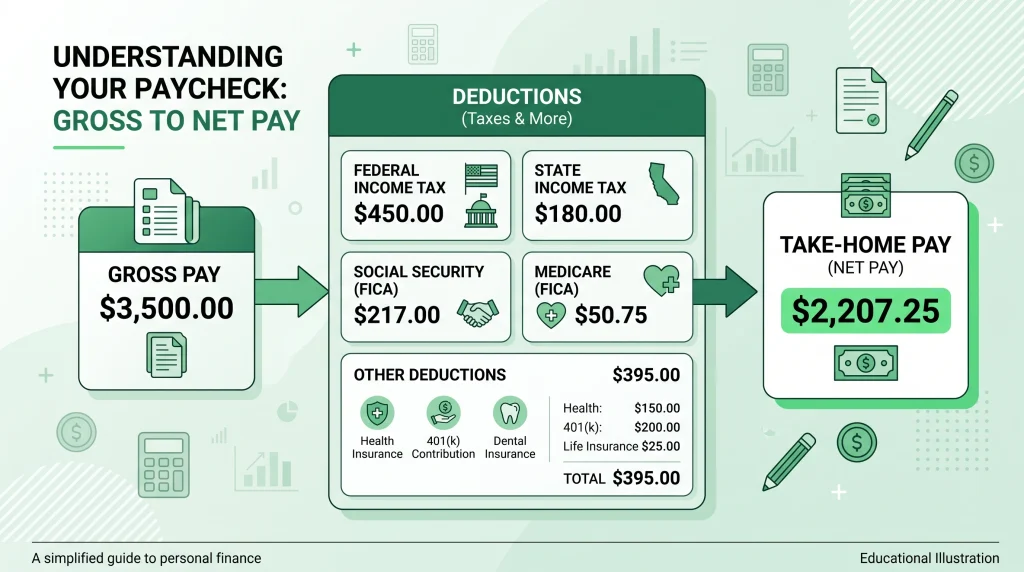
A paycheck tax calculator breaks withholding into separate buckets. Once you know what each one is, a pay stub stops being a mystery.
| Tax type | Rate / rule | Paid by |
|---|---|---|
| Federal income tax | Graduated brackets, based on W-4 | Employee |
| Social Security | 6.2% up to the annual wage base | Employee (employer matches) |
| Medicare | 1.45%, no wage cap | Employee (employer matches) |
| Additional Medicare | +0.9% above an IRS threshold | Employee only |
| State income tax | Varies — flat, bracketed, or none | Employee (state-dependent) |
| Local tax | City/county/school district, where applicable | Employee (location-dependent) |
A few states — Alaska, Florida, Nevada, South Dakota, Tennessee, Texas, Washington, Wyoming, and New Hampshire — don’t tax wage income at all, which is why an identical salary can produce a different take-home number depending on where you live.
A note on trust: these rates and thresholds are updated periodically, and the right outcome for your household depends on specifics a calculator can’t see. This article is educational, not tax advice. For anything personal, check IRS.gov, your state revenue department, or a qualified tax professional.
For the most accurate information about federal tax withholding, you can also check the official IRS Tax Withholding Estimator, which helps employees estimate federal income tax withholding from their paychecks. IRS Tax Withholding Estimator
How Pay Frequency Affects Your Paycheck
Pay frequency doesn’t touch your annual income — it changes how big each check is and how often it arrives, which matters a lot for budgeting.
| Frequency | Checks per year | Gross per check ($60,000 salary) |
|---|---|---|
| Weekly | 52 | $1,153.85 |
| Biweekly | 26 | $2,307.69 |
| Semimonthly | 24 | $2,500.00 |
| Monthly | 12 | $5,000.00 |
Biweekly and semimonthly get confused often, but they behave differently. Biweekly means every two weeks — so two months a year end up with three paychecks instead of two. Semimonthly means twice a month, usually the 15th and the last day, so it’s always exactly two.
Budgeting implication: if you’re paid biweekly, build your monthly budget around two paychecks as the baseline. The occasional third-paycheck month then becomes real extra money — for debt payoff, an emergency fund top-up, or an annual expense — instead of quietly vanishing into regular spending.
Free Expense Tracking
Take control of your spending with our free expense tracker. Record your purchases, organize expenses by category, compare spending with your monthly budget, and see where your money goes.
Common Paycheck Deductions Explained
| Deduction | Pre-tax or post-tax | Typical impact |
|---|---|---|
| Health/dental/vision premiums | Usually pre-tax | Lowers taxable income |
| HSA / FSA contributions | Pre-tax | Lowers taxable income, IRS limits apply |
| Traditional 401(k)/403(b) | Pre-tax | Lowers taxable income |
| Roth 401(k) | Post-tax | No tax-time reduction, tax-free growth |
| Life / disability insurance | Varies by plan | Check plan documents |
| Union dues | Post-tax | Fixed dollar or percentage |
| Wage garnishments | Post-tax | Court-ordered, mandatory |
| Employee stock purchase plan | Post-tax | Discounted share purchases |
The distinction that matters: a $200 pre-tax deduction reduces your paycheck by less than $200, because it also shrinks what gets taxed. A $200 post-tax deduction reduces it by exactly $200.
How to Turn Your Paycheck Into a Real Budget
An estimate only helps if you act on it.
| Step | Action |
|---|---|
| 1 | Establish true monthly income (multiply biweekly net pay by 26, divide by 12 — or use two paychecks as a conservative baseline) |
| 2 | List fixed costs — rent, utilities, insurance, loan payments, childcare |
| 3 | Estimate variable costs — groceries, fuel, dining out |
| 4 | Assign every remaining dollar to savings or debt payoff |
| 5 | Review monthly and adjust |
A free budget calculator handles the arithmetic, so the decisions get your attention instead of the math. Drop your net pay figure in and you’ll see immediately whether the plan balances.
A percentage framework can help as a reference point — something like roughly half of take-home pay toward needs, a portion toward wants, and the rest toward savings and debt. Treat it as a starting diagnostic rather than a fixed rule; high cost-of-living areas and single-income households often need a different split.
Savings Goal Calculator
Turn your savings goal into a clear plan. Our free Savings Goal Calculator helps estimate how much you need to save each month, week, or day to reach your target.
Set a Savings Goal You’ll Actually Hit
Once you know your take-home pay and your expenses, whatever’s left is your real savings capacity.
Working backward from a target tends to work better than a vague intention. Want $6,000 for an emergency fund in 18 months? That’s about $333 a month, or roughly $154 out of each biweekly check. The goal turns into a line item instead of a wish.
Use the savings goal calculator to set the target, the timeline, and the monthly contribution — then automate the transfer on payday, before you have a chance to spend it.
Track Expenses to Close the Gap
Most budgets don’t collapse at the planning stage — they drift because actual spending strays from the plan and nobody notices for a few months.
Tracking closes that gap. Even 30 days of logging tends to surface patterns an estimate misses entirely — forgotten subscriptions, a recurring delivery habit, a category running double what was assumed.
A free expense tracking tool turns this into a two-minute daily habit instead of a spreadsheet chore. Combine it with your paycheck estimate and your budget, and you’ve got the full picture: what comes in, what’s planned, and what actually happens.
Frequently Asked Questions
What is a paycheck calculator?
A tool that estimates take-home pay by subtracting federal taxes, FICA, state/local taxes, and deductions from gross pay. You provide pay rate, frequency, filing status, state, and deductions; it returns an estimated net amount per pay period.
How can I calculate my paycheck?
Start with gross pay, subtract pre-tax deductions, apply federal withholding per your W-4, subtract FICA and state/local tax, then subtract post-tax deductions. A calculator does this faster and more reliably than manual math.
What’s the difference between gross pay and take-home pay?
Gross pay is what you earn before anything is withheld — the number in an offer letter. Take-home pay is what’s actually deposited after taxes and deductions. Budget using take-home pay, not gross.
Can a paycheck tax calculator estimate my taxes?
It can estimate withholding using current tax tables and your inputs. It’s not a filing tool and can’t account for credits, itemized deductions, or other income. For tax decisions, consult IRS.gov, your state revenue agency, or a professional.
Can I calculate my paycheck from an hourly wage?
Yes — enter your hourly rate and hours per period, separating out overtime if the tool supports it. Gross pay is calculated first, then withholding is applied on top.
If you work overtime, the U.S. Department of Labor provides official information about federal overtime pay requirements and wage rules. U.S. Department of Labor — Wages
What is an hourly to salary calculator?
A tool that converts an hourly wage into its annual equivalent, typically by multiplying the rate by 2,080 hours. Adjust that hours figure if your workweek isn’t exactly 40 hours. The output is gross annual pay, not take-home.
How accurate is an online paycheck calculator?
Accuracy depends on input quality. With the correct filing status, state, and real deduction amounts pulled from a pay stub, estimates tend to land close. They can still differ due to local taxes, mid-year benefit changes, employer-specific payroll quirks, or rounding — treat every result as an estimate, not a guarantee.
Why did my paycheck change without a raise?
Common causes: hitting the Social Security wage base later in the year, an open-enrollment benefits change, a shift in overtime hours, a new W-4, a bonus taxed as supplemental wages, or a state tax rate update.
Final Thoughts
Your gross salary tells you what you earn. Your net pay tells you what you can actually plan around — and that second figure is the one your rent, groceries, and savings goals are built on.
A paycheck calculator gets you that number in minutes, without the guesswork. Use it before signing a lease, accepting an offer, or adjusting a retirement contribution, and those decisions get made with real numbers instead of rough assumptions. Just remember every result is an estimate — your employer’s actual payroll system, and your specific tax situation, determine the final figure. A qualified tax professional is the right resource for anything personalized.
Start here: run your numbers through our free paycheck calculator, carry that net figure into the budget calculator, set a target with the savings goal calculator, and stay on track with free expense tracking. Four tools, one connected plan — all free at Online Budget Plan.